Dairy Admin Panel Insights
The Dashboard
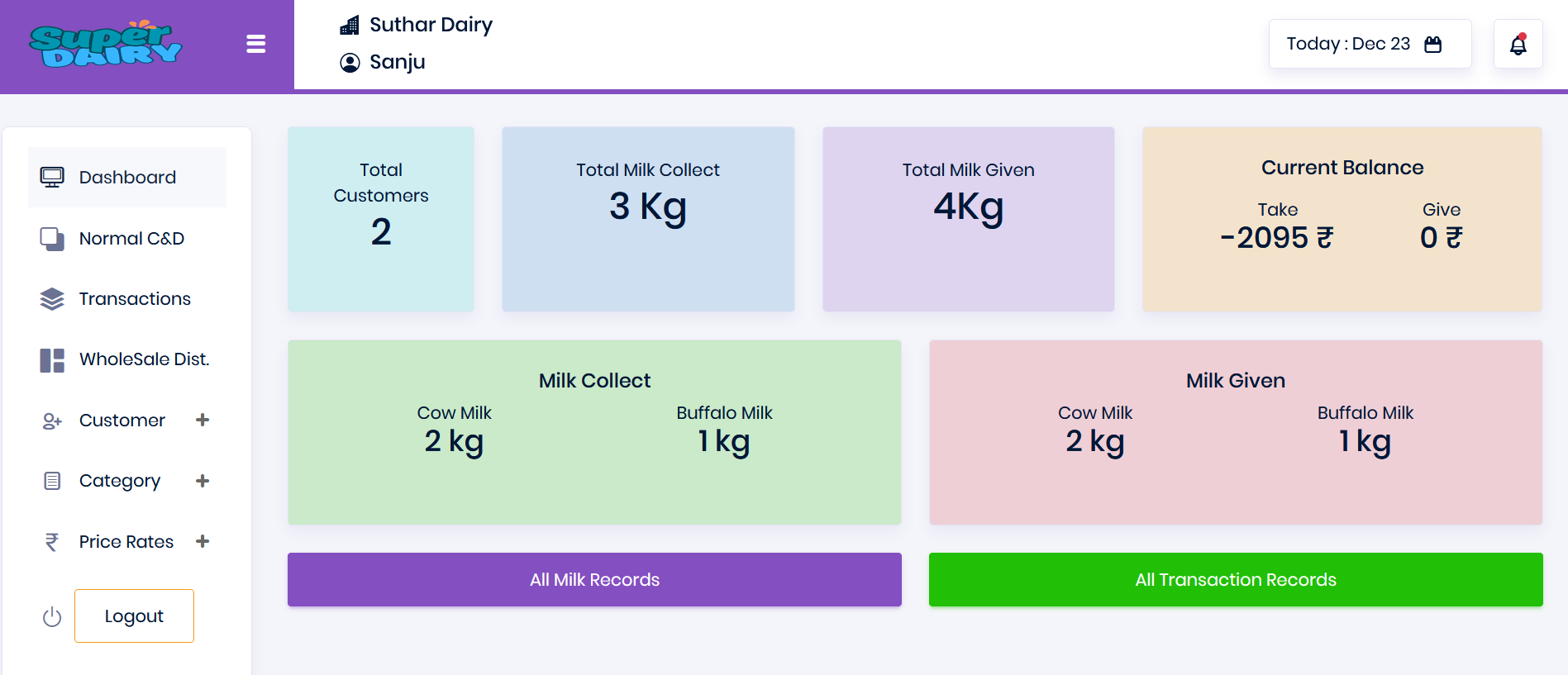
The Dairy Admin Panel provides an easy way for users to view and manage all their milk transaction records, ensuring full accuracy in dealings with customers.
All the cards displayed are clickable and show the details of the selected card separately.
Menu Bar
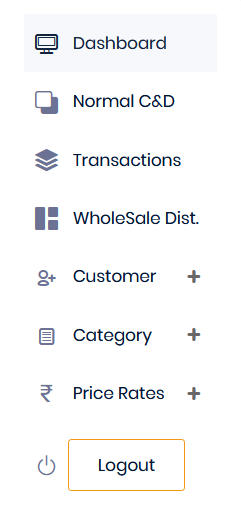
The Menu Bar has the following functionalities:

Normal C & D
Normal C & D refers to regular milk collection and distribution. Here, admins can add entries.
Transactions
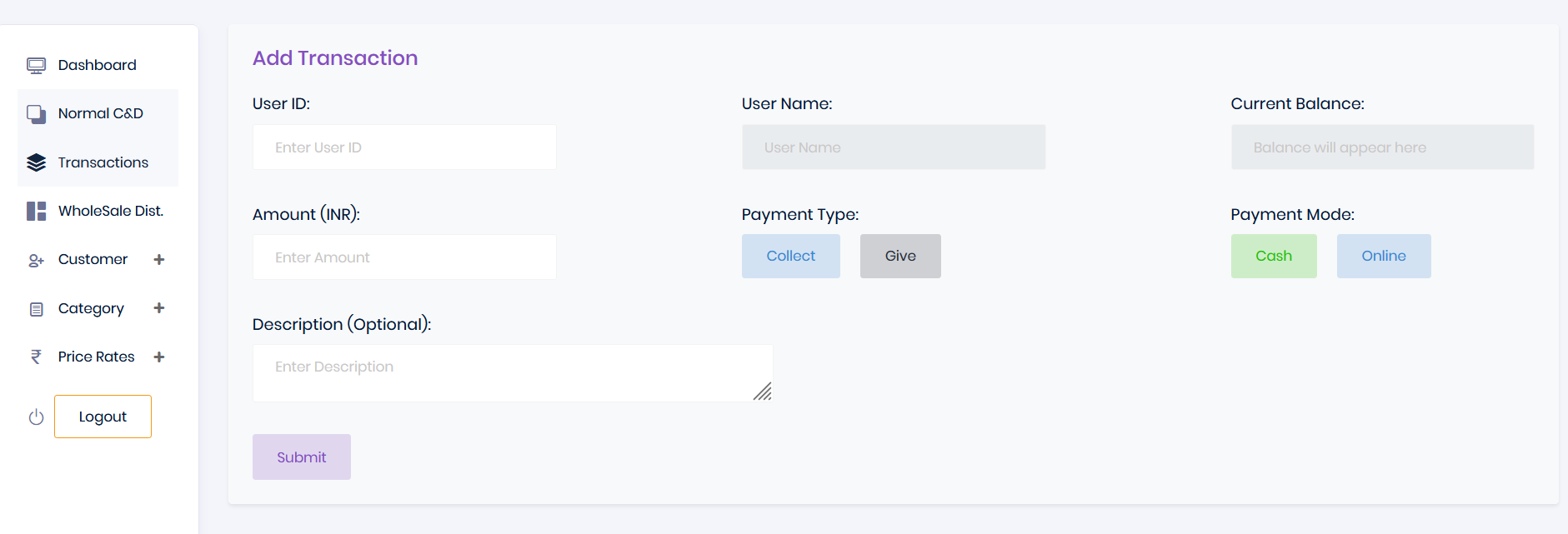
Here, Dairy Admins can add transactions for customers, which are displayed in their wallets.
Wholesale Distribution
Admins can manage wholesale milk collection and distribution here.
Customer
Admins can manage customer-related entries here.
Category
Admins can manage categories for milk collection and distribution here.
Price Rates
Admins can manage price rates for milk collection and distribution here.
Normal C & D
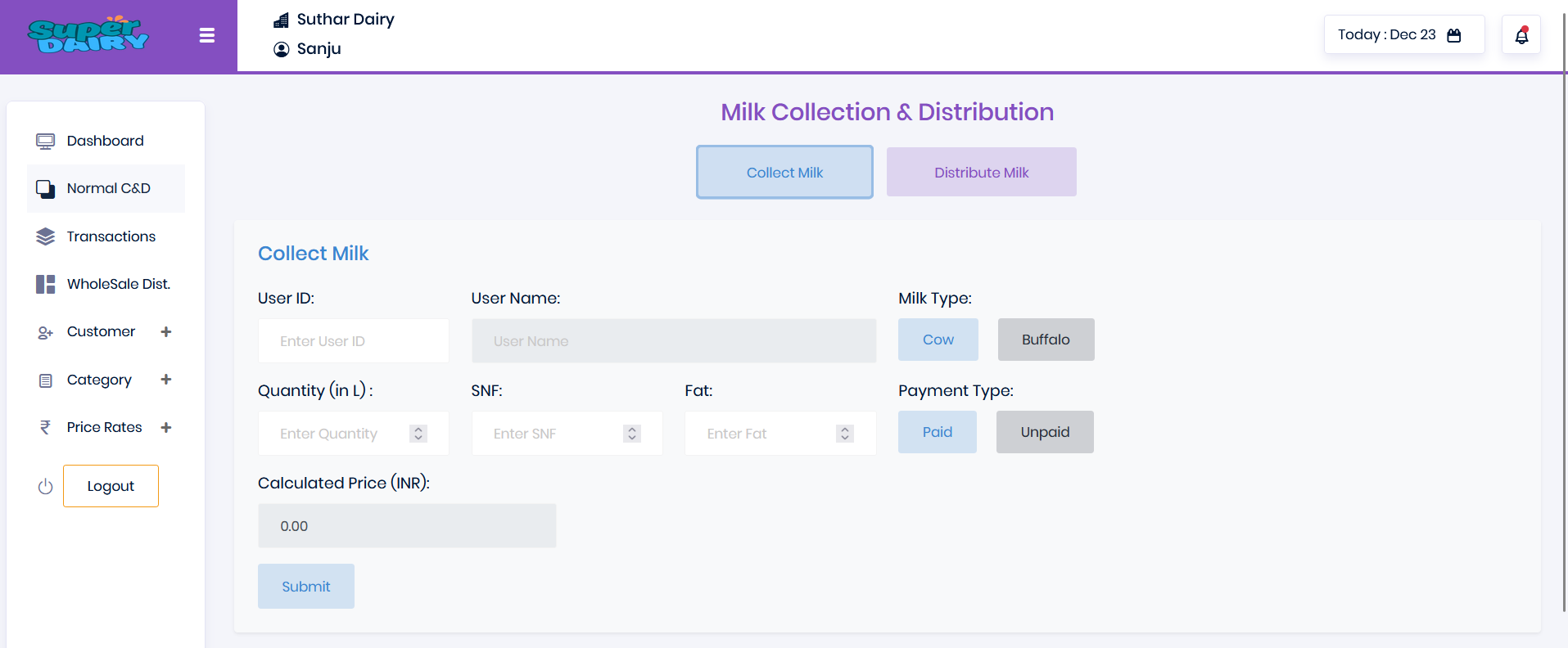
Here, the Dairy Admin adds milk entries. When the "Collect Milk" button is clicked, the milk collection entry form opens.
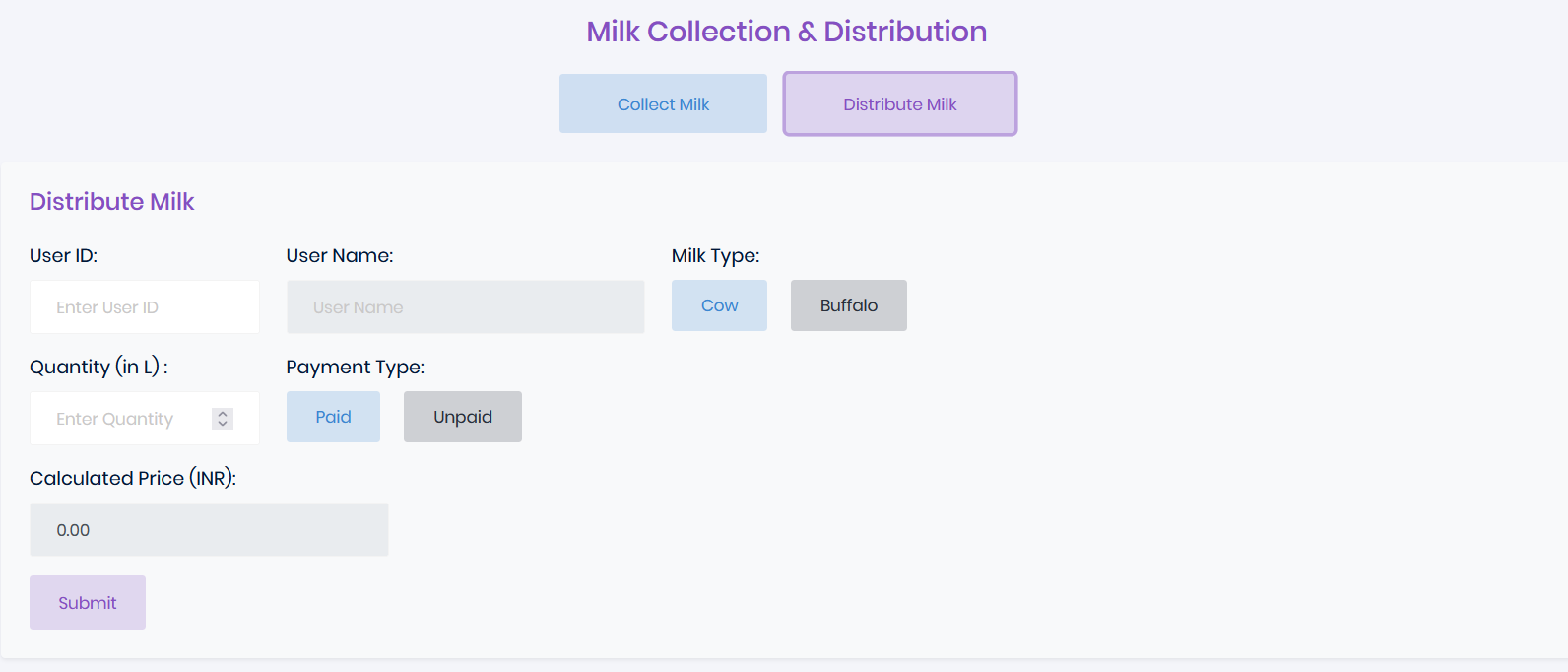
When the "Distribute Milk" button is clicked, the milk distribution entry form opens.
Normal Milk Distribution Form
Here, the admin adds the milk distribution entry.
Transactions
Here, the admin adds transactions which are reflected in the customer's wallet.
WholeSale Primary Distribution
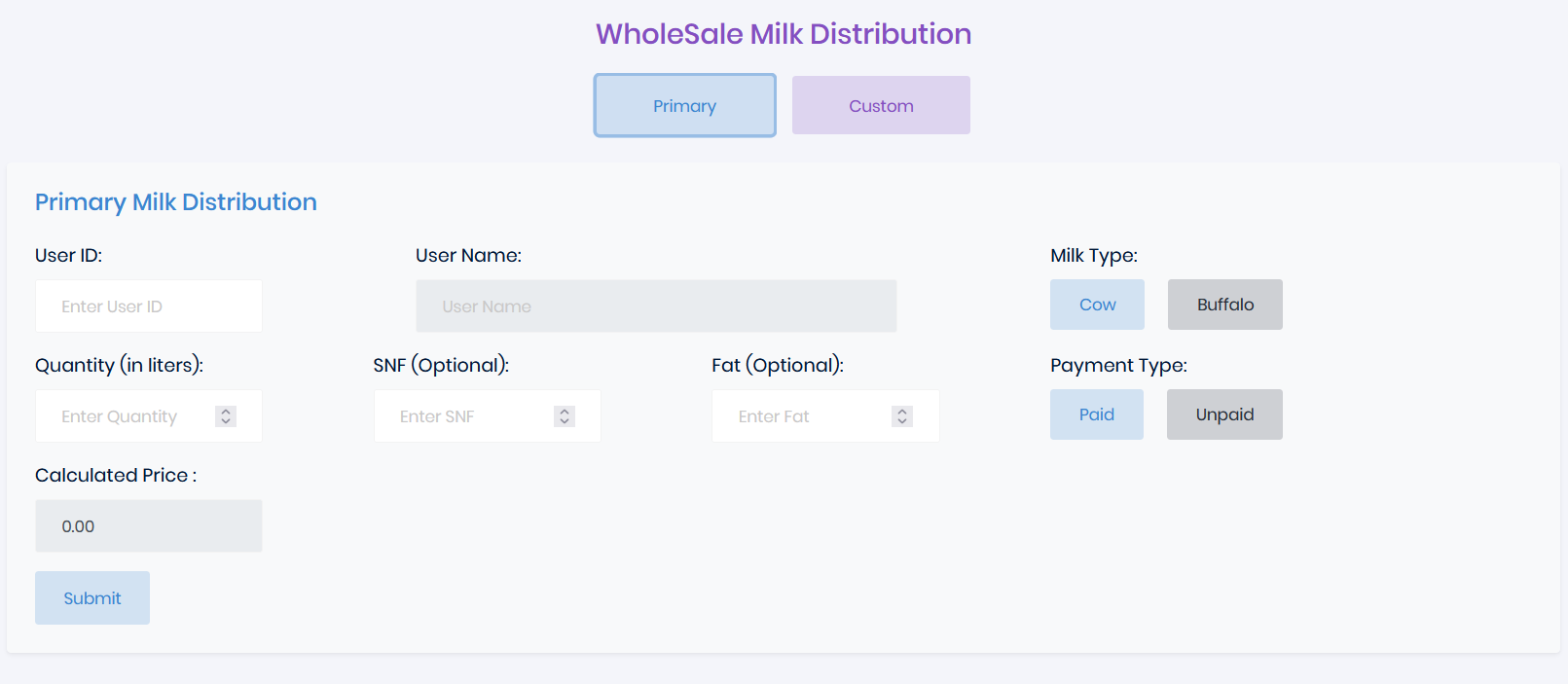
Here, the Dairy Admin adds their wholesale milk distribution entries. The price set in the price rates is automatically applied here.
WholeSale Custom Distribution
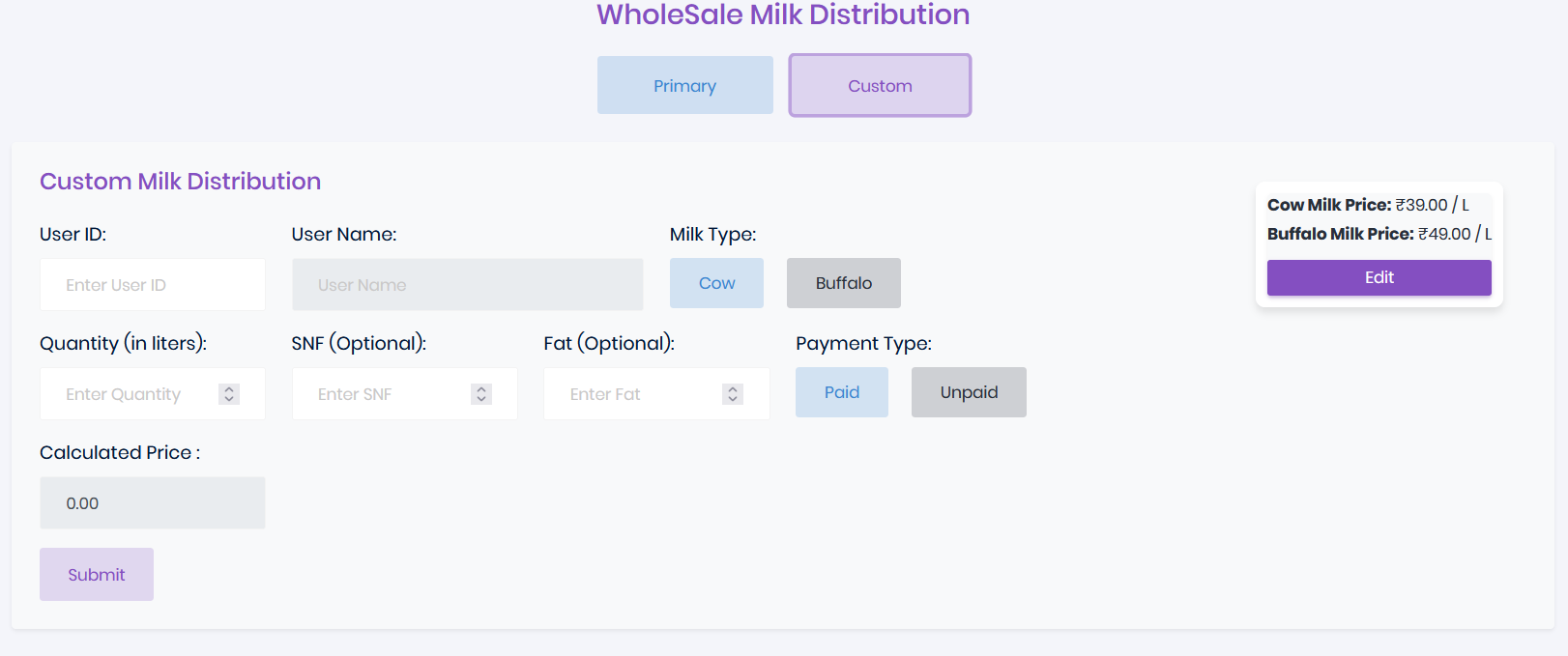
Here, the Dairy Admin adds their wholesale milk custom distribution entries. The admin can set a custom price for each entry.
Customer
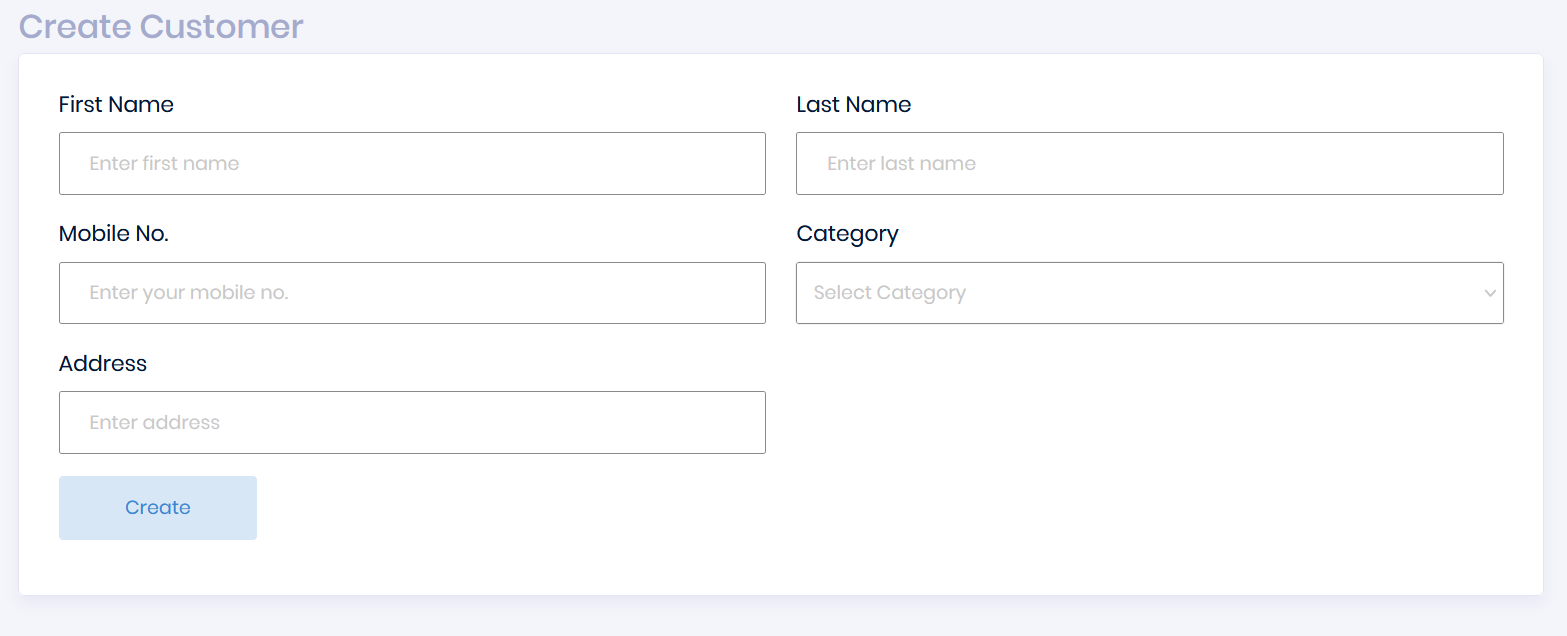
Here, the Dairy Admin can create a customer and fill in their personal details.
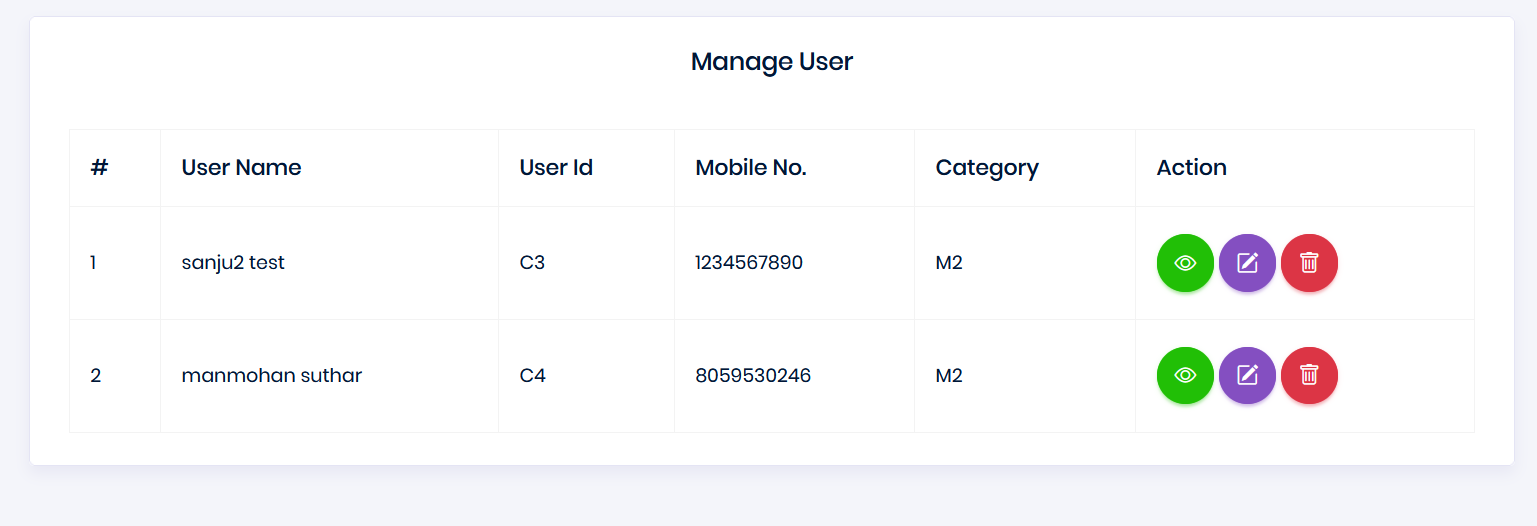
Manage Customer
Here, the Dairy Admin can manage created customers: delete them, edit their personal information, etc.
Customer Dashboard View
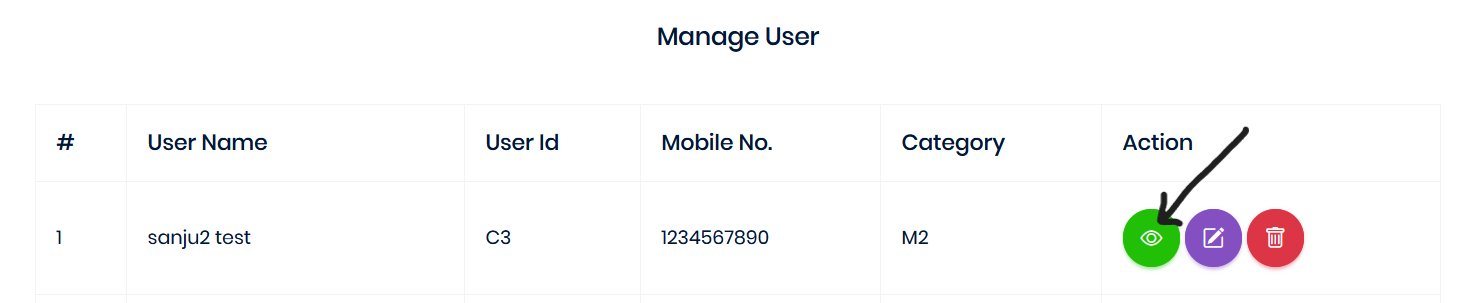
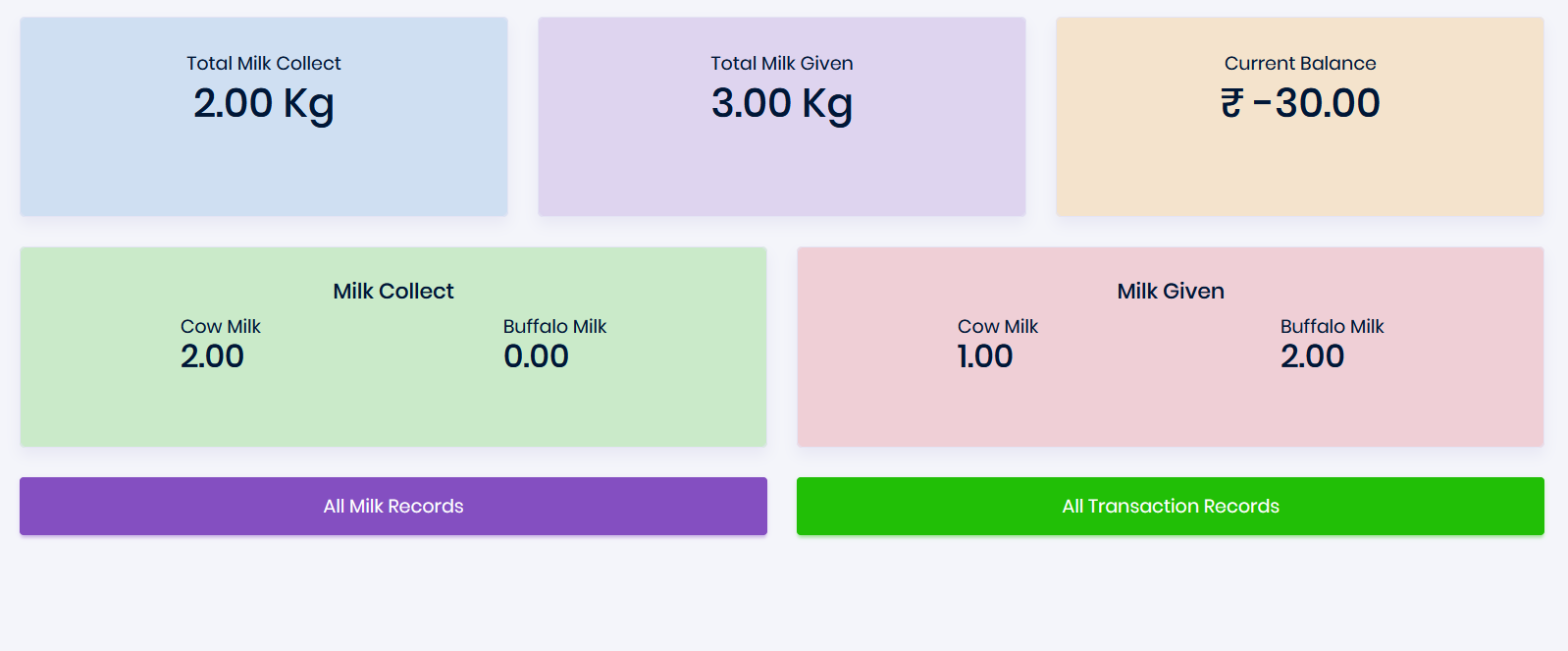
In the "Manage Customers" section, when you click on "View," it shows the customer dashboard along with all their records.
In "All Milk Records," it shows the complete history of that customer's milk records, and in "All Transactions," it displays the transaction history for that customer.
Category
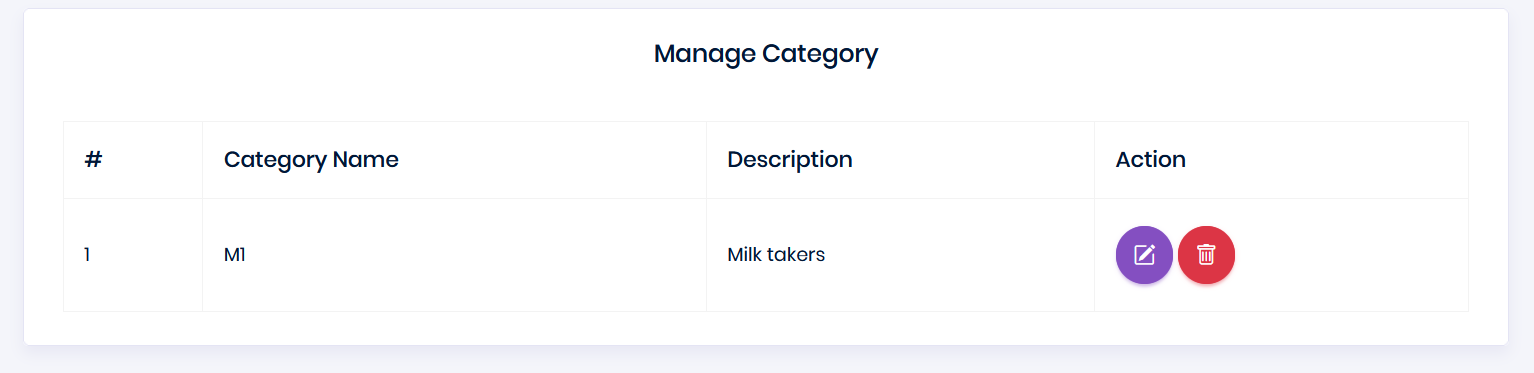
Here, the Dairy Admin can create customer categories and edit or delete them.
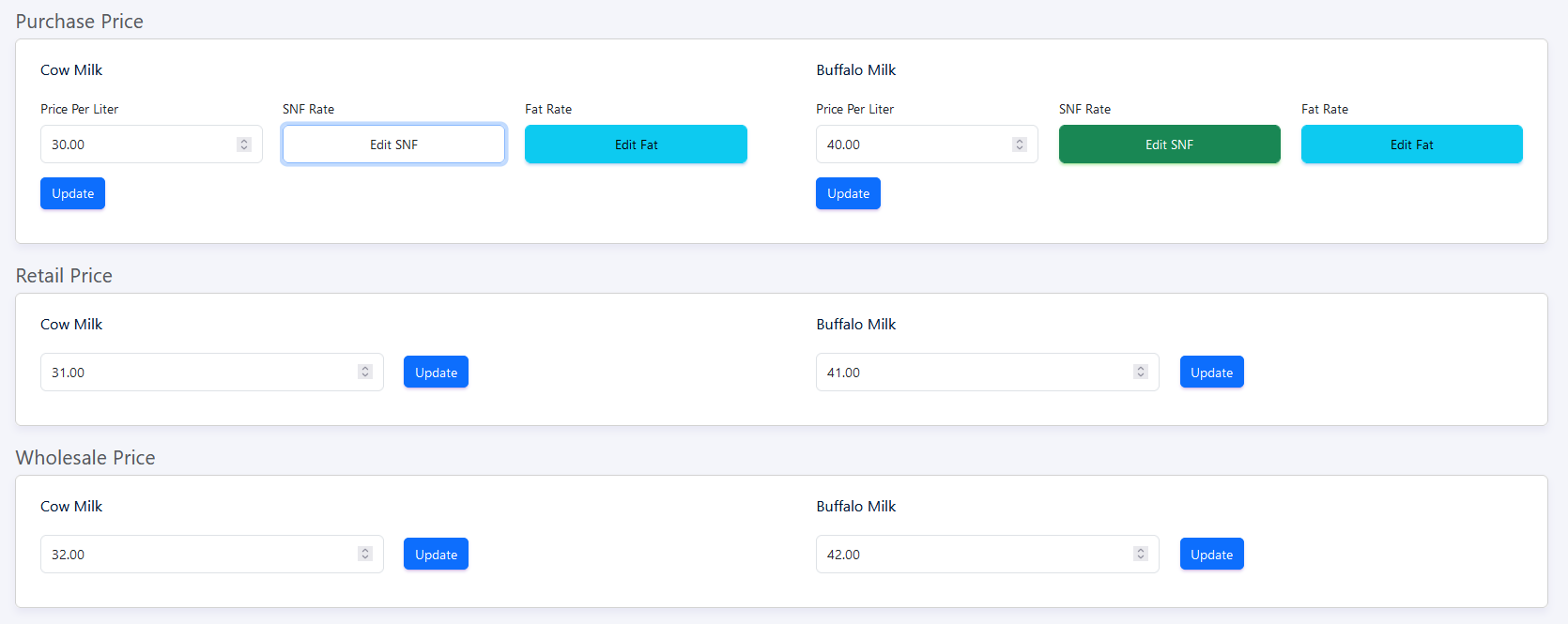
Price Rates
Here, the Dairy Admin can set the price rates for purchased milk, distribution milk prices, and wholesale milk prices.
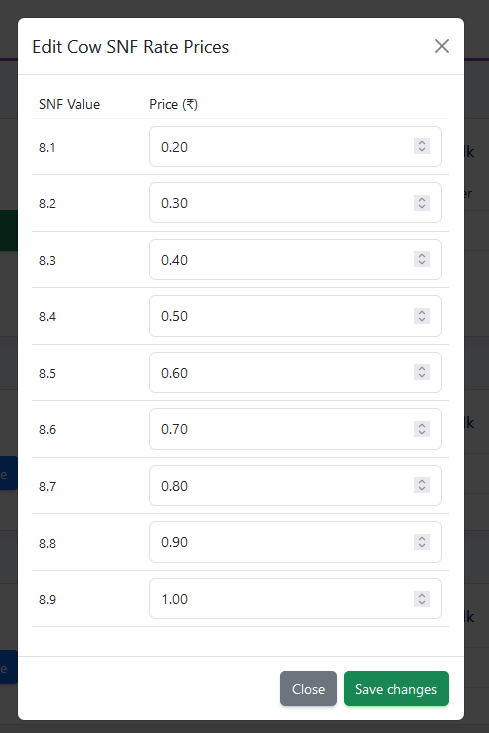
Edit SNF and Fat
Here, the Dairy Admin can set the SNF (Solid-Not-Fat) and fat percentages for cow and buffalo milk. This section allows editing the cow SNF rates.
Need a Superhero?
Do you need help with your account-related issues, such as login problems, queries, or reporting bugs?

Legal Stuff
Designed & Powered by

© 2024 SuperDairy
Made withby SutharTech